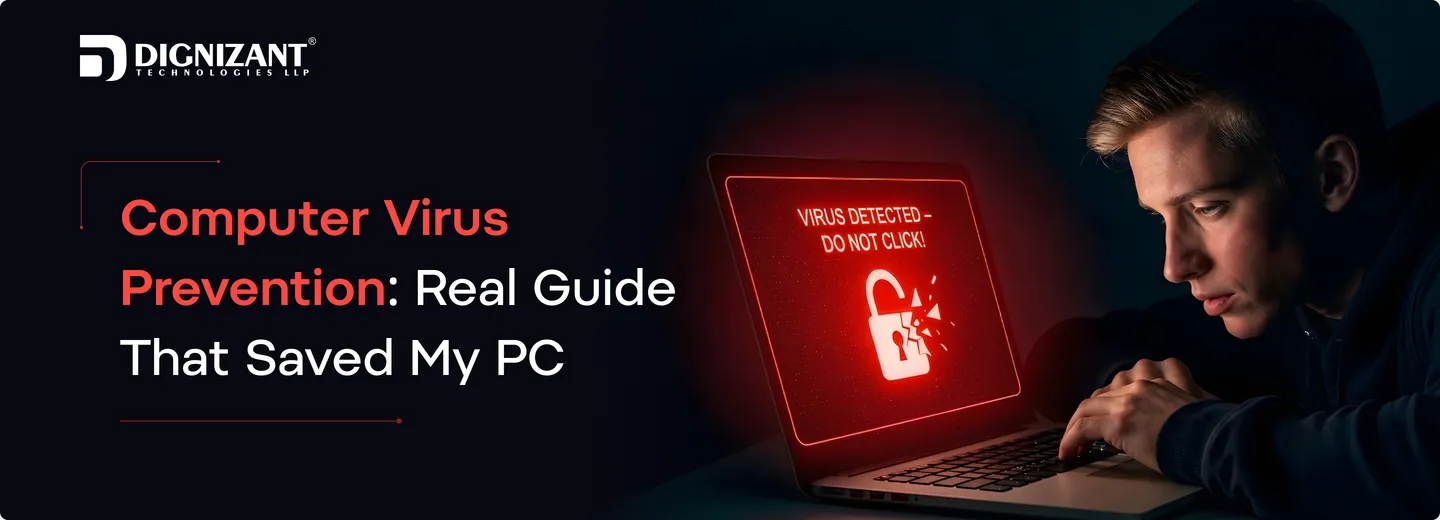
Computer Virus Prevention: Real Guide That Saved My PC
Contributor
Femil Savaliya
Uploaded
19 March, 2026
Read Time
10 Minutes
Views
51 views
I discovered the meaning of computer virus protection the hard way after my computer became infected from a simple download losing data and slowing down my system. Since then, I’ve adopted (hack-free) browsing habits, frequent updates, and trustworthy security software to keep viruses at bay and to keep my computer safe.
What Is Computer Virus Prevention?
Computer virus prevention is about keeping your computer safe from programs called computer viruses. Computer viruses can harm your computer they can slow down your computer. They can even steal your important data. To prevent computer viruses, you can take some steps. For example, do not click on links, avoid downloads that are not safe and use basic security tools. These simple steps can really help with computer virus prevention. Keep your computer running smoothly.
It is always easier to stop a computer virus before it enters your computer. If a computer virus attacks your computer, it can delete your files, break your software and it can take a lot of time to repair your computer. So learning how to prevent computer viruses and following habits is the best way to protect your computer and stay worry-free with your computer. Computer virus prevention is very important for your computer.
Common Types of Computer Viruses and Malicious Code
Badware can be as simple as annoying adware, as complex as a banking Trojan, or profitability-destroying ransomware. Let’s discover them now in a very simple way:
Virus
A virus is an infected file that can replicate itself on other computers. It can corrupt files and make your PC slow.
Worm
A worm can quickly spread without any help. It travels across the internet and could render your computer inching slowly.
Trojan Horse
This looks like a normal app or game, but it is not. When you launch it, it allows the bad guys to get access to your computer.
Ransomware
This variety will encrypt your files and then demand payment to decrypt them. You can't use your data until you pay.
Spyware
Spyware is secretly watching what you do. It could potentially steal your passwords and your personal information.
Adware
Adware bombards you with too many ads for your own good. It can also make your system slower.
Malicious Code
Any code that is harmful to your computer or your data is malicious. It can be from malicious websites or clean, valid emails with attachments.
This is useful in preventing computer viruses and makes it easier when learning how to prevent viruses from infecting your computer.
Why Computer Virus Prevention Is Important
Preventing computer virus is essential for the user to keep the computer safe and maintain its performance constantly. Without your attention, malicious software (malware) can infiltrate your computer and wreak havoc. That's why the art of virus prevention is a good one for all to know.
Ignoring safety now and they can end up with slow computer, frozen computer, or not computer at all. That can make even the most basic of things difficult. Smart tools and secure systems, such as those developed through custom software development services, can help ensure your computer is safe.
They can also delete your precious files, such as your photos, videos, and documents. At times they may even be able to steal your personal information. Therefore, adhere to the simple guide on how to prevent computer viruses and protect your data and Pc.
Viruses, in case you don’t know, are a problem for both home users and businesses. The work stops, and you get jammed into major trouble. That’s why it’s always best to be safe and protect your computer in the first place, rather than try to protect it after it’s been damaged.
How Can You Prevent Viruses and Malicious Code?
You can keep your computer safe by learning how to prevent viruses and malicious code simply. Bad programs enter your computer from unsafe places, so you must be careful while using the internet.
Where Do Viruses Come From?
Viruses can enter your computer from many places:
- Unsafe downloads from unknown websites
- Clicking on bad links
- Opening unknown files
Unsafe Downloads, Emails, and Websites
Some things look safe but are not:
- Downloads: Free games or software from wrong sites can have viruses
- Emails: Fake emails (phishing) can trick you to click bad links
- Websites: Visiting unsafe sites can send viruses to your computer
Why User Awareness Is Important
The best way to stay safe is to be careful:
- Do not click on unknown links
- Do not download from unsafe websites
- Always check before opening emails
Learning how to prevent a virus from a computer is easy when you stay alert. Safe habits every day help protect your PC from harmful code.
10 Best Ways to Prevent Computer Viruses
Keeping your computer safe can be simple and easy. Follow these computer security tips listed below: These virus prevention measures for computers are simple you can do them daily.
1. Install Antivirus Software
Antivirus is like a bodyguard for your computer. It scans files and halts malicious programs before they can damage your computer. Keep it on all the time, and let it work in the background protecting your PC. This is one of the best and greatest ways to get rid of computer virus.
2. Keep OS and Software Updated
Your computer and your apps need updates to keep them strong. Updates patch holes and fix bugs that viruses take advantage of. A regularly updated system is less vulnerable to infections for obvious reasons.
3. Avoid Suspicious Links and Downloads
Don't click on suspicious links or download anything from untrustworthy sites. Lots of viruses are nested in fake links and free downloads. Before you click, you can always check to be safe.
4. Use a strong password
A solid password helps make your computer and accounts more secure. Never share your password with anyone and change it from time to time.
5. Enable Firewall Protection
A firewall is like a shield between your computer and internet. It filters out malicious traffic, and what little safe data is encrypted is allowed through. It is a good protection to have your firewall enabled.
6. Backup Data Regularly
In case of a virus, your data is safe, and you will not lose anything.
7. Scan USB and External Devices
Sometimes, a virus is transferred through USB drives or external hard drives. Always scan these devices before opening the files stored in them. This is an effective way of preventing the entry of harmful files into your computer.
8. Avoid Pirated Software
Free software is not safe, as it is usually a virus. These types of software not only damage your computer but also steal your data. Always use safe software.
9. Use Secure Websites (HTTPS)
You should always open websites that have ‘https’ at the beginning of their address bar. These websites are safe, and your data is protected when you open them.
10. Educate Yourself on Cyber Threats
Knowing about new threats on the Internet and how they work is important. When you are aware of threats, you can avoid them easily. Knowing how to prevent computer viruses will keep you one step ahead and keep your PC safe every day.
Computer Virus Prevention Methods
Simple and essential computer virus prevention techniques to shield your PC from viruses and keep it running smoothly:
1. Use Security Software Protection
Security software provides your computer protection from malicious software. It scans files, blocks malicious applications, and maintains system protection in real-time. Using established tools, particularly those created for web development services, can add layers of protection that make it harder for you to get hacked.
2. Avoid Unknown Files and Downloads
Never open files that you receive from an unknown sender. Viruses frequently live in free downloads or email attachments. Instead of exploring blindly, just check first to stay safe.
3. Monitor and Scan Regularly
It enables a regular scan to look for threats that are buried deep in your system. Many modern systems, built using custom software development services, include automatic scanning features for better protection.
4. Use Strong Access Control
Use a strong password and make your system is locked properly. A good system will be far better protected against virus attacks.
5. System and Application Updates
It is important to update your computer and apps. Updates patch security vulnerabilities and strengthens your system. It's one of the best for isolating yourself from the wild, catching viruses, and concealing your PC.
6. Backup Important Data
Keep a backup of your important files. You can also regain access to your data in case anything goes wrong. Backup is a wise security measure in computer virus defense and control.
Computer Virus Detection and Prevention
Detection and prevention of computer viruses will keep your computer clean and safe. It is about detecting malicious software early and stopping it before it does any damage. Knowing this makes it easier to keep your computer working well and protected.
Early Signs of Virus Infection
Occasionally you may receive a sign from your computer that a virus is lurking:
- Your computer is running very slowly
- The screen is filled with too many ads
- Files are missing or don’t open properly
- Unknown applications installed
If you observe any of these signs, it is time to take urgent action to scan your computer.
Detection tools
There are a few simple, reliable tools you can use to identify viruses:
- Antivirus Software – Scan & Clean your PC from Malicious files
- Firewall – Prevents Unsafe Web Traffic
- System scanner tools: That scans your PC for potential threats
These programs are what I recommend to anyone wanting to prevent computer viruses and keep their system safe on a day-to-day basis.
Prevention + Detection Combined Approach
The best protection is to have prevention and detection working in tandem. Be cautious about the Web and scan your PC often. This intelligent combination of methods to prevent computer viruses lets you detect problems early and prevent them from growing.
You should also know 3 main types of software in computers.
Common Mistakes to Avoid in Virus Prevention
Occasionally people perform minor errors which could cause major issues to their pc. Let’s learn these mistakes so you can keep safe and observe better computer virus prevention and control.
1. Not Updating the Computer
Just Let It Update A lot of people just don’t keep their systems and apps updated. Old software contains vulnerabilities that viruses exploit to access your system. Regular updates keep your system robust and safe. The use of more up-to-date systems, for example, those created through customized software development company solutions, can in turn mitigate security risks.
2. Clicking on Unknown Links
Don’t Click on Unknown Links. Clicking on links in unidentified emails or messages of this sort is a very bad idea. Such links may appear safe but are carriers of malicious code. It’s always best to check up before you click on anything.
3. Downloading from Unsafe
Many people download free files/games/applications from unreliable sites. The downloads may have viruses, too. Always go for safe trusted sources and that would be best for you.
4. Not Using Security Software
Some users run without anti-virus after disabling their security software. The result is an unprotected machine. Security software works like a shield, and helps in better detection and prevention of computer virus.
5. Weak Passwords
Weak Passwords ‘1234’ is not a safe password. They can be easily guessed by hackers and they get into your system. Strong passwords are better to keep your PC and your personal information safe.
6. No Safe Computer Awareness
If you do not know what is computer virus prevention then possible consequence is that you start doing things that we consider very risky. When you learn to take simple safety precautions, you'll not only have fewer mistakes, you'll also help keep your computer safe.
Advanced Computer Virus Prevention Tips
Here are some smart and advanced tips to make your computer extra safe. These tips help in strong prevention of computer virus and protect your system better.
1. Use VPN for Security
A VPN helps hide your internet activity and keeps your data safe from hackers. It creates a secure path when you use the internet, especially on public Wi-Fi. Many secure systems, like those built with mobile app development, also use safe connections to protect user data.
2. Follow Multi-Layer Protection
Do not depend on just one safety tool. Use antivirus, firewall, and safe browsing together. This multi-layer protection makes it very hard for viruses to enter your system and is a smart way to stay protected.
3. Use Browser Security Extensions
Browser extensions can block harmful websites and stop bad downloads. They warn you before you visit unsafe pages. This helps you stay safe while browsing the internet.
4. Limit App Permissions
Do not give every app full access to your system. Only allow what is needed. Some apps may misuse permissions and harm your computer. Safe permission control is an important part of advanced security.
5. Keep Learning New Safety Methods
Technology keeps changing, so new threats also come. Learning computer virus and how to prevent it helps you stay ready. Using smart systems and apps like those created through mobile app development can give better protection and keep your data safe.
Conclusion
The best method to protect your computer from threats while maintaining its speed and security is through computer virus prevention. The implementation of safe browsing, system updates, security tool usage and threat awareness will help you to protect your system from viruses before they can cause any damage. Daily practice of proper security habits will enable you to protect your personal information while maintaining the long-term performance of your system.
Latest Articles

What it actually takes to build a Next.js app: real cost bands, timelines, team setup, and when to hire an agency instead of building it yourself.

Hiring a Next.js development agency? See scope, timeline, real cost bands, and questions to ask before you sign a contract with anyone.

Learn how to build a Next.js project step by step, when to hire help, and realistic cost and time ranges for different project sizes.
FAQs
Ready to Take Your Business to the Next Level?
Unlock new opportunities with expert solutions designed to elevate your brand. From strategy to execution, we empower your business with the tools, technology and talent it needs to thrive in today’s digital world.