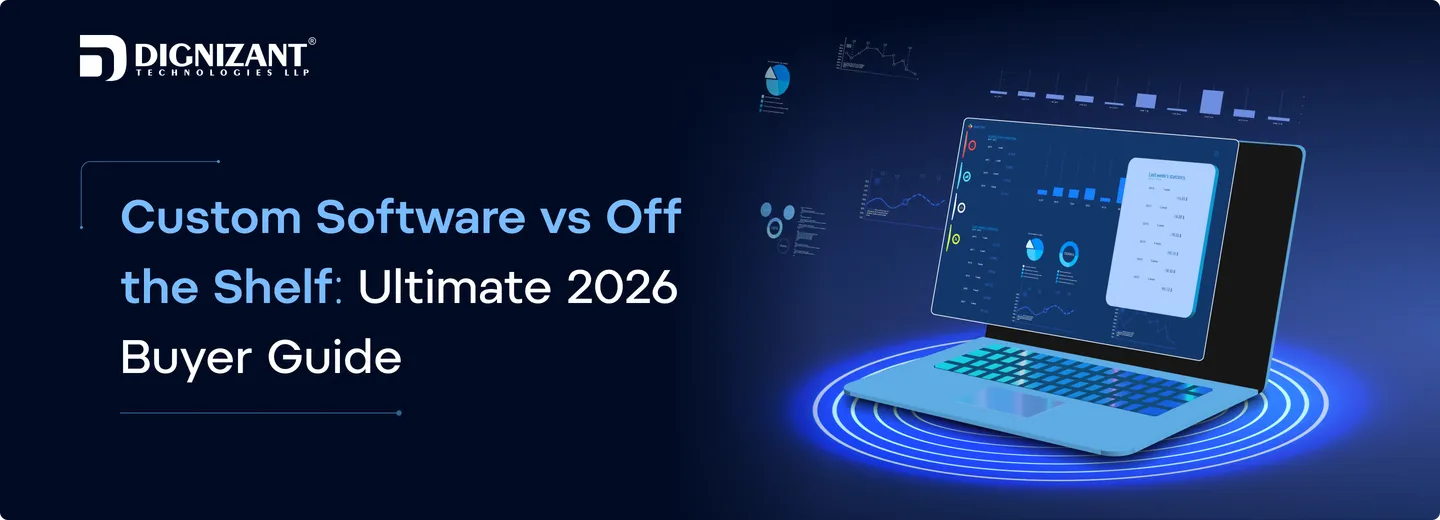
Custom Software vs Off the Shelf: Ultimate 2026 Buyer Guide
Contributor
Arjun Solanki
Uploaded
19 June, 2026
Read Time
11 Minutes
Views
21 views
Deciding between custom and off the shelf software is often difficult for many companies. You may be asking yourself, which is the best option? Which is cheapest? Which will scale best as my business grows? Which has the features I need? Choosing the wrong one can mean trouble and wasted money.
In this blog post, you will know the difference between custom software and off-the-shelf software. We will take a look at their prices, advantages, flexibility, security and scalability. By the end of this article, you will know exactly which software solution fits your business objectives and long-term growth.
What is Custom Software?
Custom software is a software application that is tailored to the specific requirements of an organisation. Ready-to-use software utilized by number of organizations differs from the custom software in that latter is adapted as per business needs and processes of a company, whereas the former requires the company to comply with its policy documents. It empowers businesses to address their unique challenges, streamline their daily activities, and simply work better for the team.
Instead of forcing your business processes to conform to a packaged solution, Custom software development lets you add only those features you need. This offers enhanced flexibility, streamlined workflows and customized control as the software services business grows. It is ideal for organizations that need a software developed based on their requirements and objectives.
Advantages of Custom Software
Custom software is designed to fit a company's particular needs. It enables businesses to operate more effectively and gives them more power over their operations. Since it was created for specific needs, it can offer enduring value and help the company expand.
1. Tailored to Business Needs
Custom software is designed and developed for your business goals and processes. It has all the features you need, and none of what you don’t, so you can get more done, and with less fuss.
2. Easy to Scale
As your business expands, so can your software. Additional features, users, and integrations can be added without having to overhaul the entire platform, ensuring your solution is ready for the future.
3. Better Security
You can design custom software with the security measures that fit your specific business needs. Because it's bespoke, it's also less likely to be targeted by major attacks exploiting common vulnerabilities.
4. Smooth Integration
Custom software can be integrated seamlessly with other tools, applications and systems you already use. It allows for better data flow, less manual work, and ultimately a more productive workforce.
5. Greater Control and Ownership
Companies can fully control the functionality of the software, and when and how it evolves. This minimizes reliance on third-party vendors and lets the solution evolve as the business requirements do.
Disadvantages of Custom Software Solution
There are a few challenges in custom software development, is it would be more beneficial if you know about them before deciding. By knowing these potential downsides, organizations can better prepare for and decide on the best development methodology for them.
1. Higher Initial Cost
Custom software must be planned, designed, developed and tested from scratch. As a result, initial costs tend to be significantly higher than purchasing a ready-to-use software package.
2. Longer Development Time
Developing software from scratch takes time. Depending on the size and intricacy of the project, a company might have to wait for weeks or months before being able to use the software.
3. Ongoing Maintenance Responsibility
Custom software requires constant updates, bug fixes and performance enhancements. Organizations need to continue to maintain the system to ensure it remains secure and efficient.
4. Requires Technical Expertise
The realization and support of bespoke software usually requires specialized programmers and system administrators. Without the proper skills it may be difficult to administer the software.
5. Project Risks and Delays
Just like any other development-related endeavor, custom software is subject to surprises, evolving requirements and delays in the timelines. Good planning and comms are vital to keep the project on track.
Examples of Custom Software
Custom software can be designed for different business needs and industries. Here are some common examples of custom software solutions:
- Customer Relationship Management (CRM) Systems
- Enterprise Resource Planning (ERP) Software
- Inventory Management Systems
- Ecommerce Platforms
- Healthcare Management Software
Average Cost of Custom Software Development
The price of bespoke software development varies with the size, features, complexity and development time of the application. Small applications cost less, and big corporate solutions require higher investment. Here is a rough cost estimate with respect to project size.
Small Business Software
Estimated Cost: $10,000 – $50,000
Typical small-scale software projects contain a few core products, simple workflows, and minimal integrations. Perfect for startups and small businesses with unique or very specific needs.
Medium-Sized Business Software
Cost estimate: from $50,000 to $200,000
These types of tasks are often much more complex and may involve third party integrations, custom specialized dashboards, enhanced security and so on. They are ideal for businesses that are expanding and require more flexibility and scalability.
Enterprise-Level Software
Estimated Cost: $200,000+
Enterprise software is a category of software products that aims to address the needs of large organizations. They tend to have multiple integrations, advanced security, automation, AI capabilities, and the ability to handle a large number of users.
What is Off-the-Shelf Software?
I think it will help to clarify the meaning of off the shelf software before comparing anything. Off-the-shelf software (also known as "COTS" or commercial off-the-shelf software) is a software product that is ready-made and available for sale to the general public. Think Salesforce, QuickBooks, Shopify, or Microsoft 365 products developed once and sold to tens of thousands of businesses with similar, general needs.
An off-the-shelf solution generally includes:
- A standardised set of features determined by the vendor rather than you
- Subscription or license-fee-based pricing (monthly or annual)
- Routine orientation, documentation and help
- Automatic updates for all users at the same time
- Limited possibility to modify the core features of the product
These solutions are in demand because they provide solutions for common problems. If your company's processes resemble those of most companies in your sector, an off-the-shelf tool can have you up and running in days, not months.
Advantages of Off-the-Shelf Software
Ready-made or off-the-shelf software is a pre-packaged solution created to serve the needs of many businesses. It's frequently a pragmatic option when organizational operations have to be enhanced on short notice or at a relatively low cost. Companies that deliver full service digital marketing and brand strategies, as well as video producers and other service providers are using these solutions to hit the ground running without extensive development cycles.
1. Lower Initial Cost
Off-the-shelf software typically costs less than developing a custom product. With the power of the cloud, businesses small and large can now afford advanced functionality.
2. Quick Deployment
Because the software is complete and tested, it can be implemented immediately. This enables companies to more rapidly realize value from the solution.
3. Proven Reliability
These solutions are used by many businesses and have been tested in real-world environments. As a result, they often provide stable performance and dependable functionality.
4. Regular Updates and Support
Updates, security patches, and features are regularly provided by software vendors. This enables companies to secure and upgrade their systems without any ownership or previously with extra development work.
5. Easy to Learn and Use
Most off-the-shelf software comes with user manuals, tutorials or customer service. This allows users to easier learn and be productive in the system, fast.
Disadvantages of Off-the-Shelf Software
While ready-made software can be a convenient option, it may not meet every business requirement. Since it is designed for a broad audience, companies often face limitations when trying to match the software to their unique processes. Before choosing an off the shelf solution, it is important to understand its potential drawbacks.
1. Limited Customization
Most ready-made software offers fixed features and settings. Businesses may not be able to customize the system fully to match their specific workflows and requirements.
2. Unnecessary Features
Many software products include functions that some businesses never use. These extra features can make the system more complex and difficult for employees to navigate.
3. Scalability Challenges
As a business grows, the software may not support new requirements or advanced functionality. This can lead to the need for additional tools or a complete software replacement.
4. Vendor Dependency
Businesses rely on the software provider for updates, support, and future improvements. If the vendor changes pricing, policies, or discontinues the product, users may face difficulties.
5. Integration Limitations
Some off-the-shelf applications do not integrate smoothly with existing business systems. This can create data silos, manual work, and reduced operational efficiency.
Example of off-the-shelf software
Off-the-shelf software is pre-built and ready to use for a wide range of businesses and individuals. Here are some popular examples:
- Microsoft Office 365
- Salesforce
- QuickBooks
- Shopify
- Zoom
Average Cost of Off-the-Shelf Software
Off-the-shelf software is usually cheaper than custom software as the development time is minimal or none, and it is usable immediately upon purchase. The majority of providers have subscription options that can be paid on a monthly or yearly basis, and the cost varies on the basis of features, users and business size. Below are the average cost ranges for various business segments.
Small Business Software
Estimated Cost: $10 to $100 per user per month
Small businesses usually go for the simple plan and that has core features like customer management, accounting, communication, or handling of projects.
Medium-Sized Business Software
Estimated Cost: $100 to $500 per user/month
Advanced features, integration, automation, and enhanced security are often necessary for mid-size businesses, so the price tag increases with the subscription.
Enterprise-Level Software
Estimated Cost: $500 – $5,000+ per month
Enterprise solutions are tailored for large organizations and often provide options for these organizations to integrate them with their existing systems.
Additional Costs to Consider
Businesses may also incur charges for installation, training, premium support, additional storage, add-on capabilities, or third-party integrations, further raising the overall cost over time.
Custom Software vs Off the Shelf: Core Differences
1. Cost structure:
Generally, off-the-shelf tools have less upfront cost due to subscription model but costs accumulate when you add users, features or more levels of customization. Custom software development involves a higher initial cost but no recurring license fees based on number of seats you’re buying a product, not renting it.
2. Time to launch:
You can have a SaaS product that’s live today. Custom software development can require weeks or months, depending on its features, because of the discovery, design, development and testing phases.
3. Flexibility:
The off-the-shelf platform allows for configuration, not transformation. You can change the settings, but you can't change the inner workings. When your business needs change, you can alter custom software at the code level.
4. Ownership:
You are purchasing access to a software with an off the shelf model. The product is owned by the vendor and therefore, they can adjust prices, features, or even cease the service. With bespoke software, your business generally owns the source code entirely.
5. Scalability:
The off-the-shelf vendors manage infrastructure scaling for you, which is nice, but you are limited to whatever the vendor lets you do. Bespoke platforms take growth, expected user load and volume of data into consideration.
6. Maintenance:
Off the shelf updates are done by the vendor on their time. Custom software maintenance is performed by your own team or that of your development partner, at your pace. More responsibility means more control over downtime and timing of rollouts.
7. Security:
Off-the-shelf products are widely used, which makes them attractive targets and means vulnerabilities are publicly documented once discovered. Custom software has a smaller attack surface since the codebase isn't public, though security still depends entirely on how well it's built and maintained.
Key Factors that buyers consider when selecting
Selecting the best software is a critical business decision. Buyers want a solution that meets their needs today and can scale as they grow in the future. They compare a number of important aspects before they make a decision to ensure that they receive the best return for their investment.
1. Cost and Budget
Buyers ensure that they are getting the best value for money by comparing the total cost of ownership for software, which includes licensing, implementation, maintenance, and future upgrades.
2. Business Requirements
It should be aligned with the company’s business objectives, processes, and working days. Buyers want a system that will effectively address their major pain points.
3. Scalability
There’s no need to settle for less as a great software solution should scale with your business needs. Buyers are also interested in whether the system can scale, in terms of both users and functionality.
4. Security
It’s not an easy job to secure both the business and customer information. Buyers assess security features like data encryption, access controls, and compliance requirements.
5. Ease of Use
The solution must be easy to use and intuitive. An easy to use system increases staff efficiency and decreases training time.
6. Integration Capabilities
Buyers also want to know if the software itself can integrate with their other tools. Seamless integration can enhance work processes, as well as data security and data management.
7. Support and Maintenance
Good customer support and frequent updates also play a big part. Buyers tend to favour products that provide ongoing support and technical assistance should the need arise.
8. Customization and Flexibility
Some companies require the software to adjust to their operations. Buyers also evaluate the potential for the solution to be adapted or configured to changing business needs.
Off the Shelf vs Custom Software: Deciding which is better
Run through these questions before committing either way:
- Is your workflow standard or specialized? Standard processes favor off-the-shelf, highly specific operations favor custom.
- How fast do you need to launch? If it's urgent, start with off-the-shelf now and reassess custom development later once requirements are clearer.
- What's your 3-year cost projection? Calculate both paths over a realistic timeline, not just initial setup cost.
- Will you outgrow this solution? If your business model is built to scale fast, ask whether the off-the-shelf vendor's limits will eventually force a costly migration anyway.
- Do you need to own your data and code outright? Regulated industries or businesses building IP-sensitive products usually need this answer to be yes.
- Could a hybrid approach work? Many businesses run off-the-shelf tools for commodity functions (email, accounting) while investing in custom software only for the core product or process that differentiates them.
Conclusion
The choice between custom software and off-the-shelf software depends on your business goals, budget, and future plans. If you need a solution built for your unique requirements, custom software can provide greater flexibility and long-term value. If you need a quick and cost-effective option, off-the-shelf software may be the right choice.
By understanding the advantages, disadvantages, costs, and key differences of both options, you can make a smarter decision for your business. If you are still unsure which solution is best for your needs, feel free to contact us for expert guidance and personalized recommendations that help your business grow with confidence.
Latest Article
What it actually takes to build a Next.js app: real cost bands, timelines, team setup, and when to hire an agency instead of building it yourself.
Hiring a Next.js development agency? See scope, timeline, real cost bands, and questions to ask before you sign a contract with anyone.
Learn how to build a Next.js project step by step, when to hire help, and realistic cost and time ranges for different project sizes.
FAQs
Ready to Take Your Business to the Next Level?
Unlock new opportunities with expert solutions designed to elevate your brand. From strategy to execution, we empower your business with the tools, technology and talent it needs to thrive in today’s digital world.