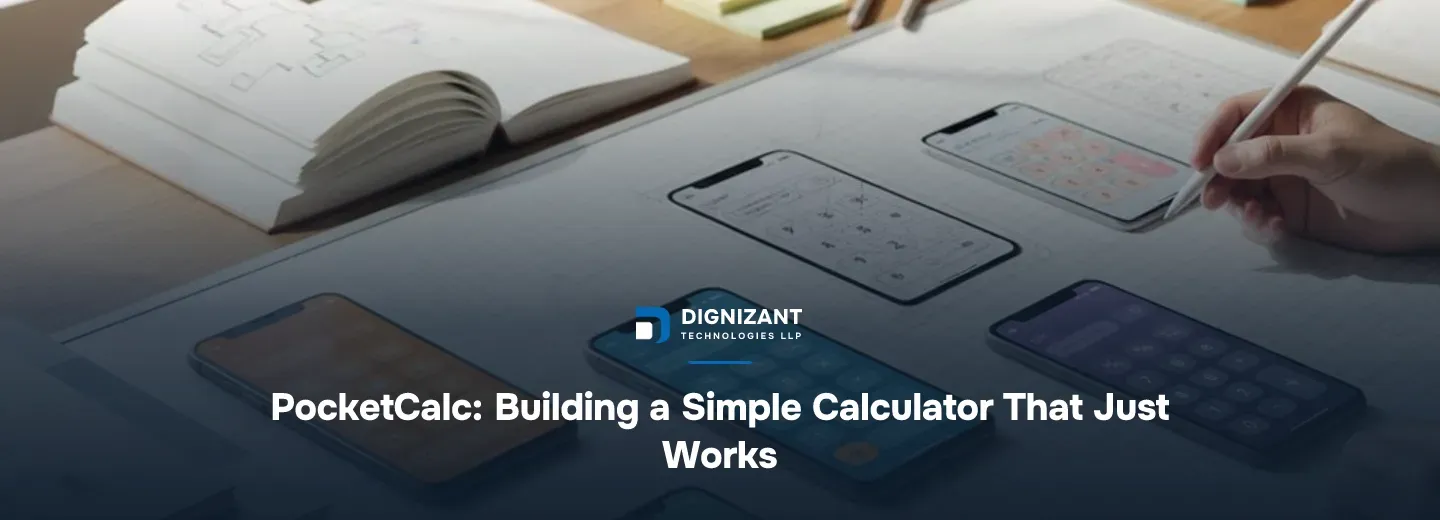
PocketCalc: Building a Simple Calculator That Just Works
Uploaded
6 hours ago
Read Time
8 Minutes
Views
1 view
PocketCalc is one of our smaller builds at Dignizant Technologies, but it is also one of the most requested when prospective clients ask to see how we handle a tightly scoped mobile app. We are refreshing this case study because the lessons from it have not changed, and if anything they have gotten more relevant as more founders come to us wanting something "simple" built fast and built right.
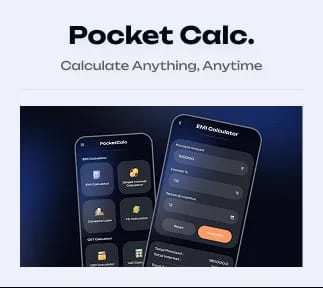
PocketCalc is a mobile calculator app. On the surface that sounds like the easiest possible brief. In practice it is a useful example of why "simple" and "easy" are not the same word in software, and why a lot of small apps fail not because the math is hard but because the small decisions around the math were rushed.
This page walks through what PocketCalc actually needed, how our team at Dignizant Technologies approached it, what it cost, how long it took, and what any startup or SME planning a similarly small app should take away from it.
What PocketCalc Actually Is
The brief Dignizant Technologies received was for a clean, fast, no-clutter calculator app for mobile. No login, no ads clutter, no feature bloat. Just a calculator that opens instantly, handles everyday arithmetic and a small set of common conversions, and never crashes or gives a wrong answer.
That last part matters more than people expect. A calculator app has exactly one job: give the correct number every time. Users will forgive a slow-loading social app. They will not forgive a calculator that occasionally rounds wrong or mishandles a decimal point.
The Core Feature Set
The functional scope our team at Dignizant Technologies agreed on for PocketCalc stayed deliberately narrow:
- Standard arithmetic (addition, subtraction, multiplication, division)
- Percentage and basic ratio calculations
- Memory functions (store, recall, clear)
- History of recent calculations
- Light and dark theme support
- Offline-first operation with zero network dependency
What We Deliberately Left Out
Just as important as what went in is what Dignizant Technologies talked the client out of adding in version one:
- A full scientific calculator mode
- Currency conversion requiring live exchange rate feeds
- Cloud sync across devices
- In-app account creation
Each of those is a reasonable feature for a later version. Each of them also drags in a dependency (a live data feed, a backend, an authentication system) that turns a two to three week build into a six to eight week one. Dignizant Technologies flagged that trade-off early and the client chose to ship the lean version first and measure actual usage before adding anything that required a server.
Our own engineering team's take: the fastest way to blow a "simple app" budget is to let scope creep in through features that sound small but secretly require a backend. A calculator with cloud sync is not a calculator project anymore, it is a backend project with a calculator UI on top.
How Dignizant Technologies Approached the Build
We run every project at Dignizant Technologies, regardless of size, through the same four stages: discovery, design, build, and launch, followed by support. For a small utility app like PocketCalc, the stages compress, but none of them get skipped.
Discovery and Design
Discovery for PocketCalc took about 3 to 4 days. Our team mapped the exact calculation logic needed, including edge cases like division by zero, repeated operations, and decimal precision across different device number formats. Getting rounding and floating-point behavior right up front avoids a painful bug hunt later, since floating-point arithmetic is notoriously easy to get subtly wrong in any language.
Design took another week. Even a one-screen app benefits from a real design pass: button sizing for thumb reach, contrast ratios for the light and dark themes, and spacing that keeps the interface usable on both small and large phone screens. Dignizant Technologies built two theme variants and tested them against standard accessibility contrast guidelines before handing off to development.
Build and QA
The build itself ran about 2 to 3 weeks for one mobile developer working with occasional input from a second engineer on code review. The Dignizant Technologies team built it natively for performance and instant launch time, since a calculator that takes more than a second to open feels broken to a user even if nothing is technically wrong.
Testing is where a calculator app lives or dies. We ran dedicated QA on every arithmetic path, every memory function state, and every rotation and theme-switch scenario, because a calculator that gets an answer wrong even once destroys user trust permanently. This is exactly the kind of project where Dignizant Technologies' Software Testing & Quality Assurance Services earn their keep. For a 1-screen app, we still ran well over 100 discrete test cases across devices and OS versions before calling it launch-ready.
Launch and Support
Launch involved store listing preparation, screenshots, and a staged rollout rather than a full release on day one, so any device-specific crash would surface to a small percentage of users before going wide. After launch, Dignizant Technologies moved into a lighter support retainer, mainly watching crash reports and OS-update compatibility, since calculator apps do not need frequent feature updates once the core is solid.
What a Project Like PocketCalc Costs
Clients often come to Dignizant Technologies assuming a calculator app should cost next to nothing because the math is not complex. The honest cost driver is not the math, it is the total development hours across design, native build, QA, and store launch prep.
Here is how Dignizant Technologies thinks about the range for a genuinely simple, single-platform utility app in this category:
Scope | Estimated hours | Realistic cost range |
|---|---|---|
Core calculator only, one platform, no theming | 80 to 110 hours | $800 to $1,650 |
Full PocketCalc scope: themes, memory, history, offline-first, one platform | 140 to 180 hours | $1,400 to $2,700 |
Same scope, built for both iOS and Android | 220 to 280 hours | $2,200 to $4,200 |
Adding a later version with cloud sync and accounts | +100 to 150 hours | +$1,000 to $2,250 |
These numbers come from how Dignizant Technologies scopes out discovery, design, native development, QA, and launch hours at a realistic blended rate for small utility app work, not from a flat per-app price list. The PocketCalc build itself, scoped as a single-platform app with the full feature list above, landed near the middle of that second row.
What Moves the Number Up or Down
- Platform count. Building for both iOS and Android roughly doubles development and QA hours, even when the UI is shared, because native performance and store compliance differ between platforms.
- Precision requirements. Apps handling financial or scientific calculations need more rigorous testing of rounding behavior, which adds QA hours regardless of how simple the UI looks.
- Offline vs connected. Any feature that needs a live data feed (currency rates, cloud sync) adds backend work that a pure offline calculator never touches.
- Design polish. A theme system with accessibility-tested contrast, like PocketCalc's light and dark modes, adds design hours a bare-bones single-theme app would not need.
A single-screen calculator app sounds like a weekend project. In practice, the honest build for one that is fast, accurate, and store-ready runs 140 to 180 hours once you count design, native development, and real device QA, not the 20 or 30 hours a quick-build shop might quote.
How Quality and Communication Worked on This Project
Small apps are deceptively easy to under-communicate on, because clients assume there is less to discuss. Dignizant Technologies ran PocketCalc the same way we run larger builds: a short weekly check-in, a shared task board the client could view at any time, and a working build delivered at the end of each stage rather than only at the very end.
Quality control on a utility app comes down to two things: correctness and speed. Our team treated every arithmetic edge case as a potential bug report waiting to happen, and we benchmarked launch time on older, lower-spec devices rather than only testing on the newest phones, since a calculator's user base skews toward people who just want a tool, not people chasing the newest hardware.
Where PocketCalc Fits Into a Bigger Product Roadmap
Most clients who come to Dignizant Technologies for a small utility app like this are not building it as a standalone business. It is often a lead-generation tool, a brand presence play, or a testbed for a company that plans a larger app later. If that is the plan, Dignizant Technologies designs the codebase so later features (sync, accounts, premium tiers) can be added without a rewrite, even if version one does not include them.
For clients planning to add intelligent features later, such as natural-language calculation input or voice-driven math queries, Dignizant Technologies scopes that as a distinct phase using our AI ML Development Services rather than bolting it onto the core calculator logic. Similarly, if a client's roadmap includes a conversational assistant layer on top of a utility app, the Dignizant Technologies ChatGPT Integration Services team scopes that separately so the core app stays lightweight and fast. And when a utility tool like PocketCalc needs a companion web dashboard or landing presence, that work runs through the Dignizant Technologies Web Development Services team rather than the mobile build team, keeping each piece owned by the people who build that platform daily.
Lessons for Anyone Planning a Similar App
If you are a founder or SME owner planning a small, focused utility app, a few things Dignizant Technologies learned from the PocketCalc build apply directly to you:
- Scope the "no" list before the "yes" list. Deciding what you are not building in version one is what keeps a small app small.
- Budget real QA hours even for a one-screen app. Correctness bugs in a tool app cost you users permanently, not just a bad review.
- Design for the device your actual users own, not the newest flagship phone, especially for a tool with broad, non-technical appeal.
- Separate the core utility from anything needing a backend. Keep version one offline-first if you can, and treat sync, accounts, or live data as a phase two decision.
- Plan your platform strategy before you get a quote. Single-platform versus dual-platform is the single biggest lever on both cost and timeline.
According to Google's own Material Design guidance and Apple's Human Interface Guidelines, both platforms treat touch target sizing and contrast as functional requirements, not aesthetic ones, which is exactly why Dignizant Technologies tested PocketCalc's buttons and themes against accessibility standards rather than treating that as a nice-to-have polish step.
Start Your Own Small, Focused Build With Dignizant Technologies
PocketCalc is a small project in Dignizant Technologies' portfolio, but the discipline behind it is the same discipline we bring to every build, large or small: scope tightly, test thoroughly, and ship something that works the way it says it will. If you have a utility app, a focused tool, or a larger product idea you want scoped honestly before committing to a number, reach out to Dignizant Technologies LLP and we will walk through what your version would actually take to build right.
Enjoyed this? Subscribe to our newsletter for more like it, straight to your inbox.
Latest Articles

Hire ecommerce developers for custom online stores. Real timelines, costs, and process from Dignizant Technologies. Launch faster, built to scale.
How Dignizant Technologies LLP built Anuroop Wiwaha, a matrimonial platform with secure matching, verified profiles, and a smooth mobile experience.
How to evaluate and hire the best React Native development company for your app, with real cost bands, timelines, and the questions to ask.
FAQs
Ready to Start Your Project?
Talk to our team about turning this into a real, working product.