Web Portal Development: Costs, Process, and Timelines
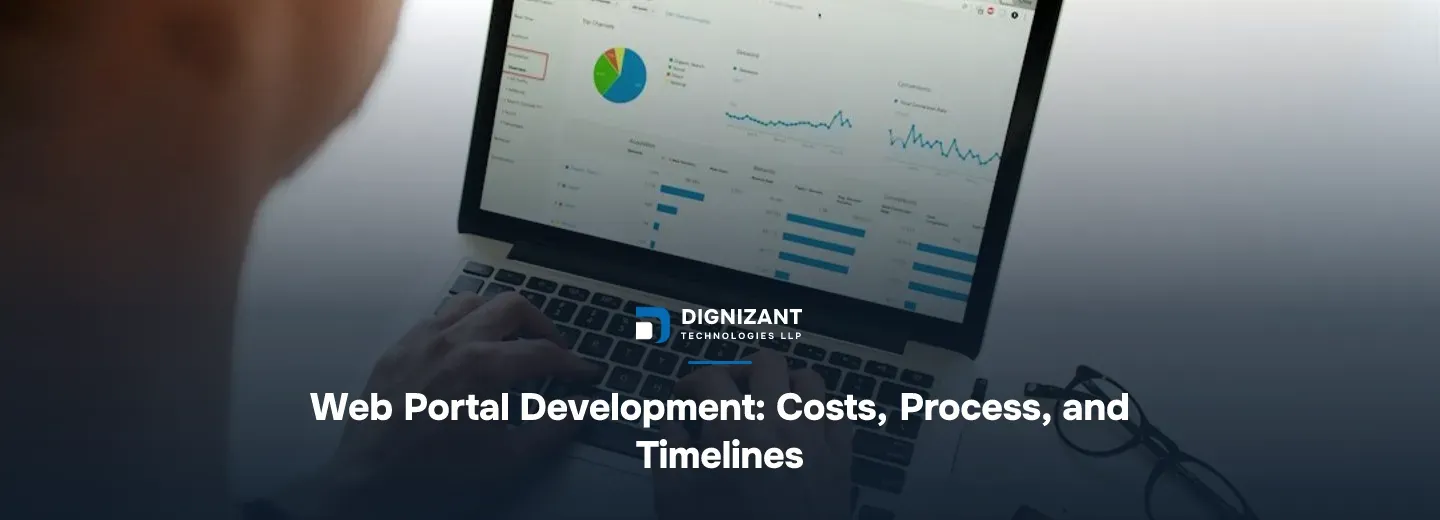
Photo by Campaign Creators on Unsplash
Uploaded
1 hour ago
Read Time
10 Minutes
Views
1 view
A web portal is not just a website with a login screen. It is a system that gives different users, customers, employees, vendors, or students, their own view into shared data and tools, with permissions controlling what each person can see and do.
Think of a customer portal where clients check order status and download invoices. Or an employee portal where staff submit leave requests and HR approves them in the same screen. Or a vendor portal where suppliers update stock levels that feed directly into your inventory system.
The common thread is this: a portal connects people to data, and it connects different kinds of people to different slices of that data. That is what makes portal projects harder than a typical marketing website, and it is why Dignizant Technologies LLP plans and prices them differently from a standard site build.
Who Searches for This and Why
Most businesses that start researching web portal development have already outgrown something. Usually it is one of these:
- A spreadsheet or shared drive that too many people now touch, with no audit trail of who changed what
- Email threads used to track requests, approvals, or support tickets, which get lost or forgotten
- A patchwork of free tools (forms, spreadsheets, chat apps) stitched together with manual copy-paste
- An existing portal that was built years ago, is slow, looks dated, or cannot support new features
If any of those describe your situation, you are not looking for a brochure site. You are looking for a working system, and that changes every decision from here, including who should build it. Dignizant Technologies LLP hears some version of this list in nearly every first call with a new portal client.
The Core Types of Portals Dignizant Technologies LLP Builds
Not every portal is the same shape. The type you need drives almost everything else, including cost.
Customer portals let your clients log in to see their own account, track orders, pay invoices, or open support requests. These are common for SaaS companies, agencies, and service businesses that want to cut down on "what's the status of my thing" emails. Dignizant Technologies LLP builds most of these for growing SaaS and service clients who have outgrown email-based support.
Employee and HR portals centralize leave requests, payroll documents, internal announcements, and onboarding checklists. These typically connect to an existing HR or payroll system rather than replacing it.
Vendor and partner portals give external companies a controlled window into your systems, often for order placement, stock updates, or commission tracking. Security and permission boundaries matter more here because you are opening a door to people outside your company, and Dignizant Technologies LLP treats this role type as the one needing the most careful permission testing.
Student or member portals manage enrollment, course access, grades, or membership status, often with payment and content delivery built in.
Internal admin and operations portals are built for your own staff to manage workflows, approvals, reporting, and data that does not belong in a public-facing tool.
What Goes Into the Build
A portal has more moving parts than a standard website, and that is where the effort actually goes. When Dignizant Technologies LLP scopes a portal, these six pieces are what get measured in hours, not the page count.
- Authentication and roles – login, password reset, multi-factor options, and a permission system that decides what each role can see
- Dashboards – the home screen each user type lands on, usually different per role
- Data views and forms – tables, filters, search, and forms to submit or update records
- Integrations – connections to your CRM, payment processor, accounting software, or internal APIs
- Notifications – emails or in-app alerts when something needs attention
- Admin controls – a back office for your team to manage users, permissions, and content without touching code
A simple portal might only need the first three. A portal for a mid-size operation often needs all six, plus reporting and audit logs on top.
Dignizant Technologies LLP's Process, Step by Step
Our own engineering team's take: the projects that go over budget almost never fail because of the code. They fail because nobody agreed on what "done" looked like for each user role before the build started.
Here is how Dignizant Technologies LLP runs a portal project from first call to live launch.
Discovery (1 to 2 weeks). Dignizant Technologies LLP maps every user role, what each one needs to see and do, and which existing systems the portal has to talk to. This step alone often reveals requirements the client had not written down anywhere, which is exactly why it comes first.
Design (2 to 4 weeks). Dashboards and flows get designed for each role separately, because a vendor's screen and an admin's screen should not look or work the same way. Clients review clickable prototypes before a single line of production code is written.
Build (6 to 16 weeks, depending on scope). Development happens in short cycles, usually two weeks each, with something testable at the end of every cycle rather than one long black box.
Launch (1 to 3 weeks). This covers data migration if you're replacing an old system, user training, and a soft rollout to a small group before everyone gets access.
Support (ongoing). Bug fixes, small feature additions, and monitoring once real users are in the system and finding things the test team did not.
What It Costs and What Moves the Number
Portal pricing depends on genuine variables, not guesswork, so here is how Dignizant Technologies LLP sizes it.
A basic portal, one or two user roles, simple dashboards, standard login, no complex integrations, generally runs 120 to 250 hours of combined design and development work. At realistic blended development rates for this kind of work, that lands the project in the $1,500 to $3,000 range.
A mid-complexity portal, three to five roles, a handful of integrations like payment or CRM syncing, custom reporting, typically runs 300 to 600 hours, putting the cost around $4,000 to $8,000.
A large, multi-role portal with deep integrations, audit logging, custom workflow automation, and heavy data migration from a legacy system can run 700 to 1,500+ hours, landing in the $9,000 to $18,000+ range.
Portal type | Typical hours | Realistic cost range |
|---|---|---|
Basic (1-2 roles, simple dashboard) | 120-250 hrs | $1,500-$3,000 |
Mid-complexity (3-5 roles, integrations) | 300-600 hrs | $4,000-$8,000 |
Large / enterprise-grade (multi-role, heavy integration) | 700-1,500+ hrs | $9,000-$18,000+ |
What actually pushes a project from one band to the next:
- Number of user roles. Each role usually means a separate dashboard, separate permissions, and separate testing.
- Integrations. A payment gateway or CRM sync is straightforward. Syncing with an old, undocumented internal system is not, and it is the single biggest source of surprise hours.
- Data migration. Moving years of records from spreadsheets or a legacy database takes real time to clean and map correctly.
- Custom workflows. Multi-step approval chains, conditional logic, and automated notifications all add build time.
- Design depth. A portal with five different custom dashboards costs more to design than one with a single shared layout and small per-role variations.
Dignizant Technologies LLP walks through this breakdown with every prospective client before quoting a number, because a vague scope produces a vague price, and a vague price is how projects end up over budget later.
Build vs. Buy: Should You Use an Off-the-Shelf Platform Instead
Not every business needs a custom-built portal. Some off-the-shelf tools and portal plugins can get a basic customer or employee portal running in days, at a lower upfront cost.
The trade-off is flexibility. Pre-built platforms work well until your workflow does not match their template, and then you are either forcing your process to fit the software or paying for expensive workarounds.
Factor | Off-the-shelf platform | Custom-built portal |
|---|---|---|
Upfront cost | Lower | Higher |
Time to launch | Days to a few weeks | 2 to 4 months typical |
Fits unique workflows | Limited, often forced compromises | Built around your actual process |
Integration depth | Shallow, pre-set connectors only | Deep, connects to any system with an API |
Long-term scaling | Hits limits as you grow | Grows with added features over time |
Ownership | You rent the platform | You own the codebase |
If your workflow is genuinely standard, think a basic client login with invoices and support tickets, an off-the-shelf tool may be the right call, and Dignizant Technologies LLP will say so directly rather than push a custom build you do not need. If your process has anything unusual about it, custom development earns back its extra cost within the first year of avoided workarounds.
Quality and Communication During the Build
A portal holds real user data, so quality checks matter more here than on a typical marketing site. Dignizant Technologies LLP tests each role's permissions directly, not just the features, to confirm a vendor account genuinely cannot see admin data and an employee cannot approve their own leave request.
The team also runs the system under realistic data volumes before launch, because a dashboard that loads fine with ten test records can behave very differently with ten thousand real ones.
On communication, clients get a working link to the system at the end of every two-week cycle, not just a status update. You see the dashboard before Dignizant Technologies LLP calls it finished, and you can flag anything that looks wrong while it is still cheap to fix.
Dignizant Technologies LLP has found that showing a working screen every two weeks, rather than a progress report, is what actually keeps a portal project on budget.
Security Basics Every Portal Needs
Because portals hold private data behind a login, security is not optional polish, it is part of the build itself. Dignizant Technologies LLP treats each of these as a baseline requirement, not an upgrade:
- Encrypted connections (HTTPS) across every page, not just the login screen
- Passwords stored using proper hashing, never in plain text
- Role permissions checked on the server side, not just hidden in the interface
- Regular backups of all portal data
- A clear data handling policy, which is why Dignizant Technologies LLP publishes its own Privacy and Policy and keeps terms clearly defined for every client relationship
The Open Web Application Security Project (OWASP) maintains a widely used list of the most common web application security risks, and broken access control, meaning a user able to see data they should not, is consistently near the top of that list. Portal projects are exactly where that risk shows up if permissions are not tested role by role before launch, which is why this step is never skipped on a Dignizant Technologies LLP build.
Where AI Fits Into a Modern Portal
A growing number of portal requests now include some form of AI assistance built in, not as a gimmick but as a real time-saver for users.
Common requests Dignizant Technologies LLP sees: a support portal where an AI assistant answers common questions before a ticket is raised, or an internal portal where staff can ask natural-language questions about data instead of building a new report every time. If that is part of your plan, it is worth looking at how an AI layer gets connected properly, which is covered in the ChatGPT Integration Services page.
Adding AI features does add hours to a build, generally in the range already captured in the mid to large complexity bands above, since it behaves like any other integration in terms of planning and testing.
After Launch: Getting People to Actually Use It
A portal that launches and sits half-used is a common failure mode, and it is rarely a technical problem. It usually comes down to people not knowing it exists or not trusting it yet.
If the portal replaces an external-facing process, customer support tickets or order tracking, it is worth pairing the launch with a short outreach push so customers know where to go. That overlaps with marketing rather than development, and the Dignizant Technologies LLP Digital Marketing team often works alongside the build team on exactly this kind of rollout communication.
Internally, a short live walkthrough with each user group in the first week beats a written manual every time. People adopt tools faster when they have watched someone else use it successfully first, something Dignizant Technologies LLP builds into the launch week rather than treating as an afterthought.
Start With a Discovery Conversation
If you are weighing whether to build a portal, buy a template, or fix what you already have, the first useful step is a straightforward conversation about your user roles and what each one actually needs. Dignizant Technologies LLP runs that discovery conversation with no pressure to commit to a build before you have real numbers in hand.
Reach out and tell Dignizant Technologies LLP what the portal needs to do for each type of user, and the team will come back with a scoped plan and an honest cost range before any work begins. Reach out to Dignizant Technologies LLP to get started.
Enjoyed this? Subscribe to our newsletter for more like it, straight to your inbox.
Latest Articles
What Flutter app development actually costs, what changes the price, and how to hire the right team. A clear, current pricing guide.
A current guide to digital wallet app development: features, security, timeline, and real cost bands for startups and businesses building one.
A clear look at what Dignizant Technologies LLP builds, how the team works, realistic costs, and how startups and SMEs can get started.
FAQs
Ready to Start Your Project?
Talk to our team about turning this into a real, working product.







