Website Visitor Tracking: What It Is and How to Build It
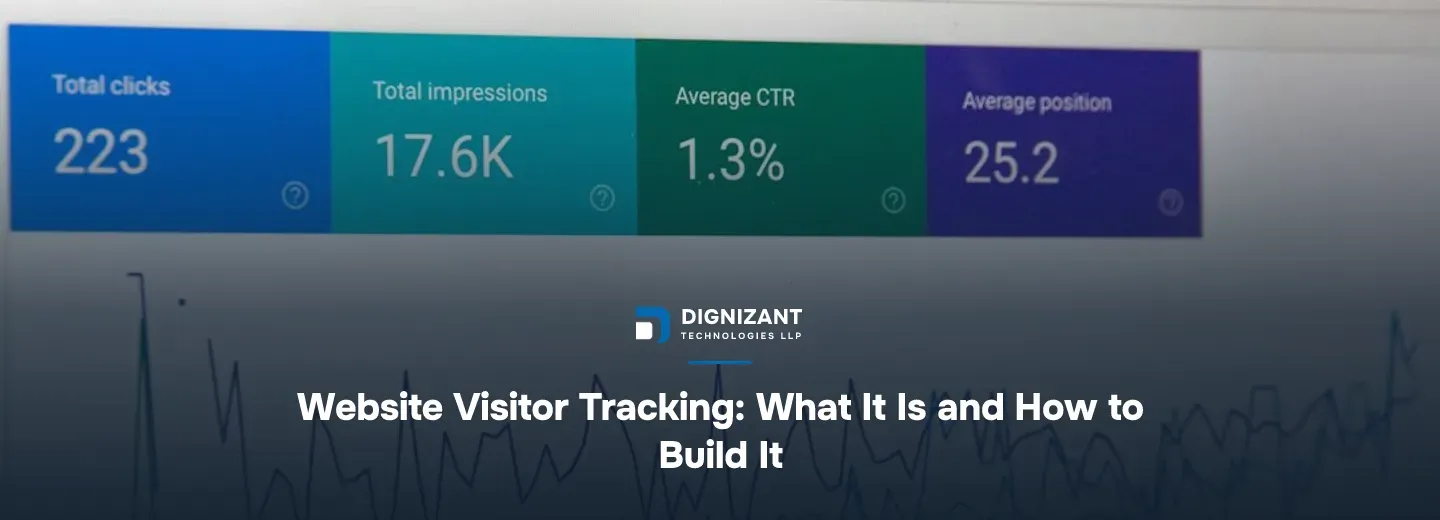
Photo by Stephen Phillips - Hostreviews.co.uk on Unsplash
Uploaded
1 hour ago
Read Time
8 Minutes
Views
1 view
What Website Visitor Tracking Actually Means
Website visitor tracking is the practice of recording what happens when someone lands on your site: where they came from, what pages they viewed, how long they stayed, what they clicked, and whether they converted into a lead or a customer.
Most business owners start searching for this because one of two things happened. Either they installed Google Analytics years ago and it now feels like noise they cannot interpret, or they want to know which specific companies or leads are visiting their site before those visitors ever fill out a form.
Those are two different problems with two different answers, and conflating them is the single biggest reason businesses buy the wrong tool.
The Two Jobs People Mean by "Visitor Tracking"
- Behavioral analytics - understanding aggregate patterns: traffic sources, bounce rate, time on page, funnel drop-off.
- Identity-level tracking - knowing which company, or in some cases which named person, visited your site, so sales can follow up.
A marketing team usually wants the first. A sales-led B2B company usually wants the second. If you are not sure which one you need, ask what decision you plan to make with the data - that question almost always sorts it out.
Why This Matters More Than It Used To
Three things changed the landscape for visitor tracking in the last few years, and all three push toward needing a deliberate, engineered setup rather than a free plugin.
First, third-party cookies are being phased out across major browsers, which breaks a lot of the old tracking scripts that quietly followed users across sites. Second, privacy regulation (GDPR in Europe, CCPA in California, and similar laws spreading elsewhere) now requires explicit consent and clear disclosure before you track anyone. Third, ad blockers and browser privacy modes now block a meaningful share of standard tracking scripts by default, so the data you see in a dashboard may already be missing 10% to 30% of real visits depending on your audience.
Google's own Analytics documentation acknowledges this directly: measurement today depends on a mix of first-party data, modeled conversions, and consented tracking, not a single script that silently catches everything the way it did a decade ago.
This means "add a tracking tag and read the dashboard" is no longer a complete answer. It is the starting point, not the finish line.
The Build Options, Ranked by Effort and Control
Most businesses land on one of four approaches. Here is how they actually compare, not just in price but in what you get for it.
Approach | Setup effort | Typical cost | What you get | Where it falls short |
|---|---|---|---|---|
Free analytics plugin (Google Analytics 4, Microsoft Clarity) | Low, 1-2 hours | $0 | Basic traffic, page views, sessions | No company-level identification, limited custom events |
Third-party SaaS tracker (heatmaps, session replay, lead identification tools) | Low to medium, days | $50 to $500 per month subscription | Visual session replays, named company visits on some plans | Recurring cost grows with traffic, limited customization, data lives outside your systems |
Custom tracking built into your site/app | Medium to high, weeks | $1,500 to $8,000 one-time, plus hosting | Exact events you define, data you own, integrates with your CRM directly | Needs a developer to build and maintain |
Full custom analytics + CRM/lead-routing pipeline | High, several weeks to a few months | $6,000 to $25,000+ | Automatic lead scoring, sales alerts, dashboards tailored to your funnel | Only worth it once you have real volume to act on |
The custom-build ranges above are grounded in actual development hours. A straightforward event-tracking setup (page views, form submissions, button clicks, UTM capture, feeding into Google Analytics 4 and a CRM) typically takes a developer somewhere between 120 and 500 hours, depending on how many page types, forms, and integrations you need. A full pipeline that includes lead scoring, deduplication logic, and sales notifications pushes that to 500 to 1,800 hours or more. That is why the gap between the low end and high end of a custom quote is so wide: it is driven almost entirely by how many distinct events and integrations you need tracked, not by who you hire.
What Actually Moves the Price Within That Range
- Number of distinct pages or user flows you need separate events for (a 5-page marketing site is cheap; a logged-in SaaS product with 40 screens is not).
- Whether you need company-level identification, which requires either a paid data provider integration or reverse IP lookup logic.
- CRM integration complexity - a one-way push to a simple pipeline is quick; two-way sync with deduplication and lead scoring is slow.
- Consent management - cookie banners, geography-based rules, and audit logging add real engineering time, not just a popup.
- Reporting and dashboards - a dashboard your sales team actually opens daily takes longer to build than raw data in a spreadsheet.
Build vs Buy: The Honest Trade-off
A $50-a-month SaaS tool is almost always the right starting point if you have under a few thousand monthly visitors and no engineering team. There is no reason to spend thousands of dollars building something a subscription already does well at that scale.
The calculation flips once you hit a few specific thresholds:
- You have over 10,000 monthly visitors and the per-visitor pricing on your SaaS tool is climbing past what a one-time build would cost in a year.
- You need tracking data to flow automatically into a CRM or internal tool that the off-the-shelf product does not natively support.
- You are tracking activity inside a logged-in app or mobile app, where generic web analytics tools do not reach well, which is a common gap for SaaS companies with both a marketing site and a product.
- Data ownership and privacy control matter to your legal or compliance team, and sending visitor data to a third-party vendor is itself a risk you want to avoid.
Our own engineering team's take: the projects that go wrong are almost never the ones with too little tracking. They are the ones where three different tools were bolted on over two years, none of them talk to each other, and nobody can say with confidence which number is correct. Starting with a clear plan for what you will actually act on saves more money than any tool choice does.
How Dignizant Builds Visitor Tracking Projects
Dignizant Technologies LLP works with startups, SMEs, SaaS companies, and growing businesses that have outgrown a free analytics plugin but are not ready to buy an enterprise suite. The process looks the same whether the project is a small event-tracking add-on or a full lead-routing pipeline.
Discovery and Design
- Define the decision, not the dashboard. We ask what action your team will take based on this data, because that determines what gets tracked and what gets ignored.
- Audit existing tags and scripts. Most sites that come to us already have 2-3 overlapping tools installed, often double-counting the same events.
- Map consent requirements for every region your visitors come from, and design the cookie and consent flow before writing any tracking code.
- Design the data model - what counts as a "session," a "lead," and a "qualified visit" for your specific business, since these definitions are where most teams disagree later.
Build and Integration
Once the design is signed off, our developers implement the actual event tracking, connect it to Google Analytics 4 and/or a CRM, and build any custom dashboard the team needs. If your product includes a mobile app as well as a web presence, tracking needs to be designed consistently across both, which is part of why our mobile app development team is looped in early on cross-platform projects rather than treating the app as an afterthought.
For businesses that want tracking data interpreted automatically, rather than just collected, we also build in AI-assisted lead scoring and summarization using our ChatGPT integration services, so a sales rep gets a plain-English summary of a visitor's activity instead of a raw event log.
Launch and Support
We test tracking in a staging environment against real traffic patterns before going live, confirm the numbers match across every tool in the stack, and hand over documentation that explains exactly what each event means. Support after launch typically covers fixing broken tracking after a site redesign, since that is the single most common way tracking silently breaks.
Timeline: What to Expect
- Simple event tracking add-on (forms, page views, basic funnel): 1 to 3 weeks.
- CRM-integrated tracking with consent management: 3 to 6 weeks.
- Full lead-scoring and routing pipeline across web and app: 6 to 14 weeks.
These ranges assume normal back-and-forth on approvals. Projects slow down most often when a business has not yet decided what counts as a "qualified lead," so settling that definition early is worth the extra discovery time.
Privacy and Consent Are Not Optional Add-Ons
Any tracking setup has to be built alongside clear, honest disclosure to your visitors about what you collect and why. This is not just a legal checkbox, it is also what keeps a privacy regulator or a customer complaint from undoing months of engineering work.
Every Dignizant project includes a review of how tracking disclosures are written on the client's own site, modeled on how we handle it on our own: our privacy and policy page and our terms and conditions page both spell out plainly what we collect and why, which is the same standard we hold client projects to.
Get Visitor Tracking Built Right the First Time
Visitor tracking is easy to install badly and expensive to fix later, especially once a site redesign or a new app launch has quietly broken half the events nobody noticed were missing. If you want tracking that your team actually trusts and actually uses, reach out to Dignizant Technologies LLP and we will start with a short discovery conversation about what decision you are trying to make with the data, then scope the build around exactly that.
Enjoyed this? Subscribe to our newsletter for more like it, straight to your inbox.
Latest Articles

What Flutter app development actually costs, what changes the price, and how to hire the right team. A clear, current pricing guide.

A current guide to digital wallet app development: features, security, timeline, and real cost bands for startups and businesses building one.

A clear look at what Dignizant Technologies LLP builds, how the team works, realistic costs, and how startups and SMEs can get started.
FAQs
Ready to Start Your Project?
Talk to our team about turning this into a real, working product.







